
Install OpenFlow
The macOS release needs no Rust or Node. For a development checkout, see Build from source.
Install the macOS release
- Download the latest macOS build from GitHub Releases.
- Open the
.dmg, drag OpenFlow to Applications, and open the app.
If macOS blocks it, right-click OpenFlow → Open, or run xattr -cr /path/to/OpenFlow.app on the .app bundle.
First launch
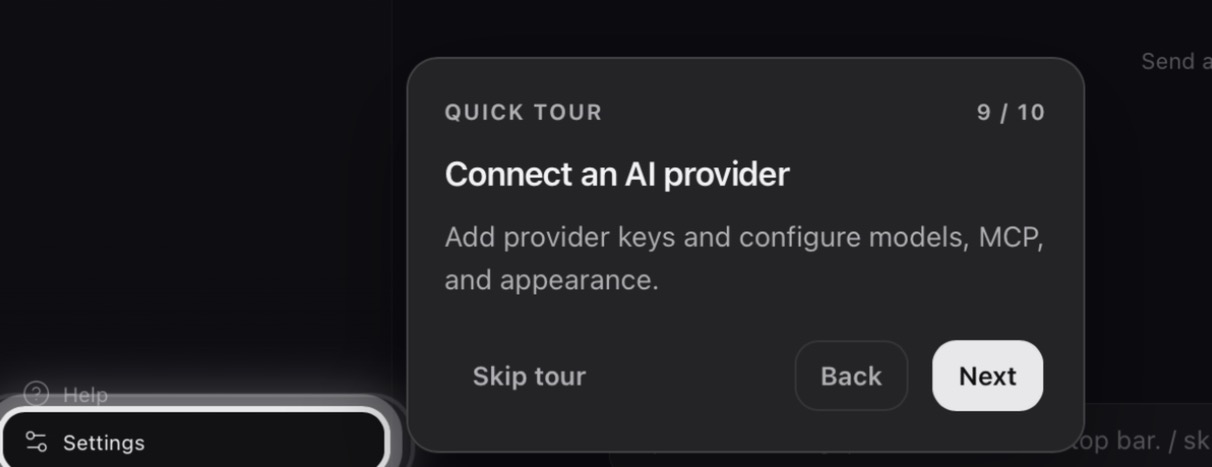
A quick tour opens and points out the main controls. Its Connect an AI provider step highlights Settings. Select Done to close the tour, then open Settings → Providers and follow Provider setup. Help replays the tour.
Update or reinstall
Stop any active workflow or chat run, then select Update now in Settings → About. If an update is published, OpenFlow downloads it, installs it, and relaunches. Otherwise the button reports that the app is current or that the update failed.
In-app updates work only in the packaged macOS app. For a development build or a failed update, install the latest build from GitHub Releases by hand.
Development requirements and installer commands: Build from source.