
Tools and integrations
A node's Approval mode sets which tools it can use and when it asks permission. Nodes can use built-in tools, saved agents, discovered skills, web search, and MCP servers. The Tools reference lists arguments and limits.
Approval modes
Set Approval mode in a node's Inspector, under Tools:
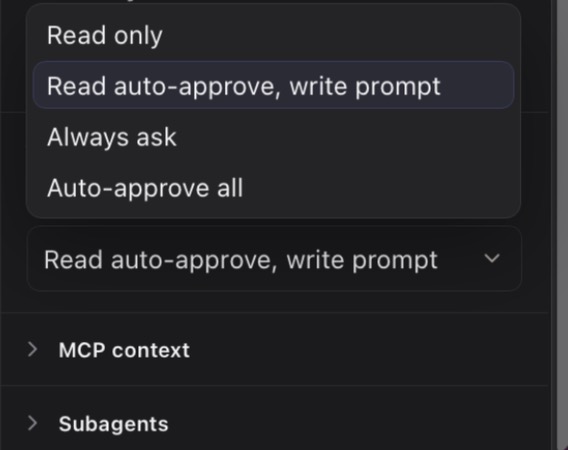
| Mode | Behavior |
|---|---|
| Read only | Exposes read-tier tools. |
| Read auto-approve, write prompt | Runs read-tier tools without prompting and asks before write-tier tools. |
| Always ask | Prompts for each tool call. |
| Auto-approve all | Skips prompts for tools allowed to that node. |
In the middle mode, read-only ls and find commands through Bash can stay auto-approved; shell operators and mutating find predicates are write-tier. MCP tools are write-tier by default unless you explicitly review a server policy.
Skills
Type / in a composer or task prompt to search discovered SKILL.md files. In a run, each recognized skill resolves to its exact file and loads into context. Skills are read-only catalog entries and aren't copied into OpenFlow storage. An unknown leading command blocks the run; an unknown inline token stays literal.
Saved and callable agents
The Agents screen stores reusable agent definitions. To let a node delegate work, add a saved agent to it as a callable agent. The definition is snapshotted at run start, so later library edits don't change an in-flight run. Callable agents describes the snapshot lifecycle.
Web search
Add search credentials in Settings → Search to let workflows use the bundled web-search tool. Keep keys in Settings or the provider's environment fallback, never in prompts or workflow files.
MCP servers
In Settings → MCP Servers, add Stdio, Streamable HTTP, or legacy SSE servers, import mcpServers JSON, and test, trust, disable, or remove connections. Have the server command, URL, or imported configuration ready, and enter credentials in Settings, not workflow text. Review the server policy before enabling it: OpenFlow doesn't automatically trust a server's read-only annotation. Security and data explains what external services can receive.
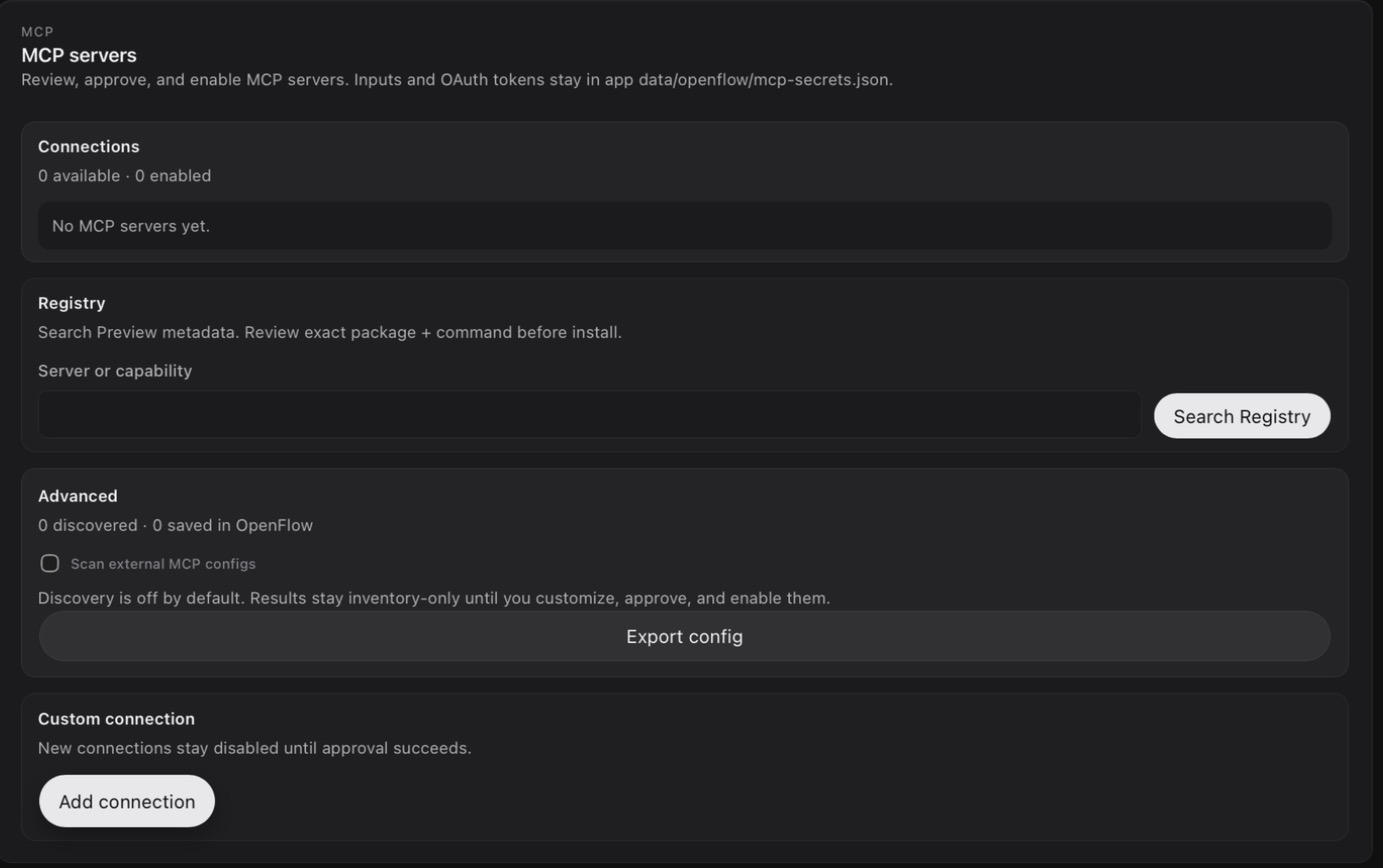
Connecting a server doesn't inject its resources or prompts. Select each one explicitly under MCP context in a node Inspector. OpenFlow snapshots the selected content at run start; resume and replay use that immutable snapshot. Selected context is untrusted provider input, bounded by the limits in Configuration.
Expose selected project root, Allow approved sampling reqs, and Allow approved form/URL elicitation are off by default; enable them deliberately. Sampling and elicitation requests appear in the originating conversation for one-time approval. Stopping the run cancels pending callbacks.
Use Approve & Test after import or a security-relevant change. Changing the source, install, connection, or policy revokes trust. If an enabled server fails setup or listing during a run, OpenFlow skips it and continues with the others.
For startup, authentication, or listing failures, see MCP troubleshooting.